

Responsive Search Google Ads Made Ridiculously Simple
How to Make Responsive Search Google Ads Work
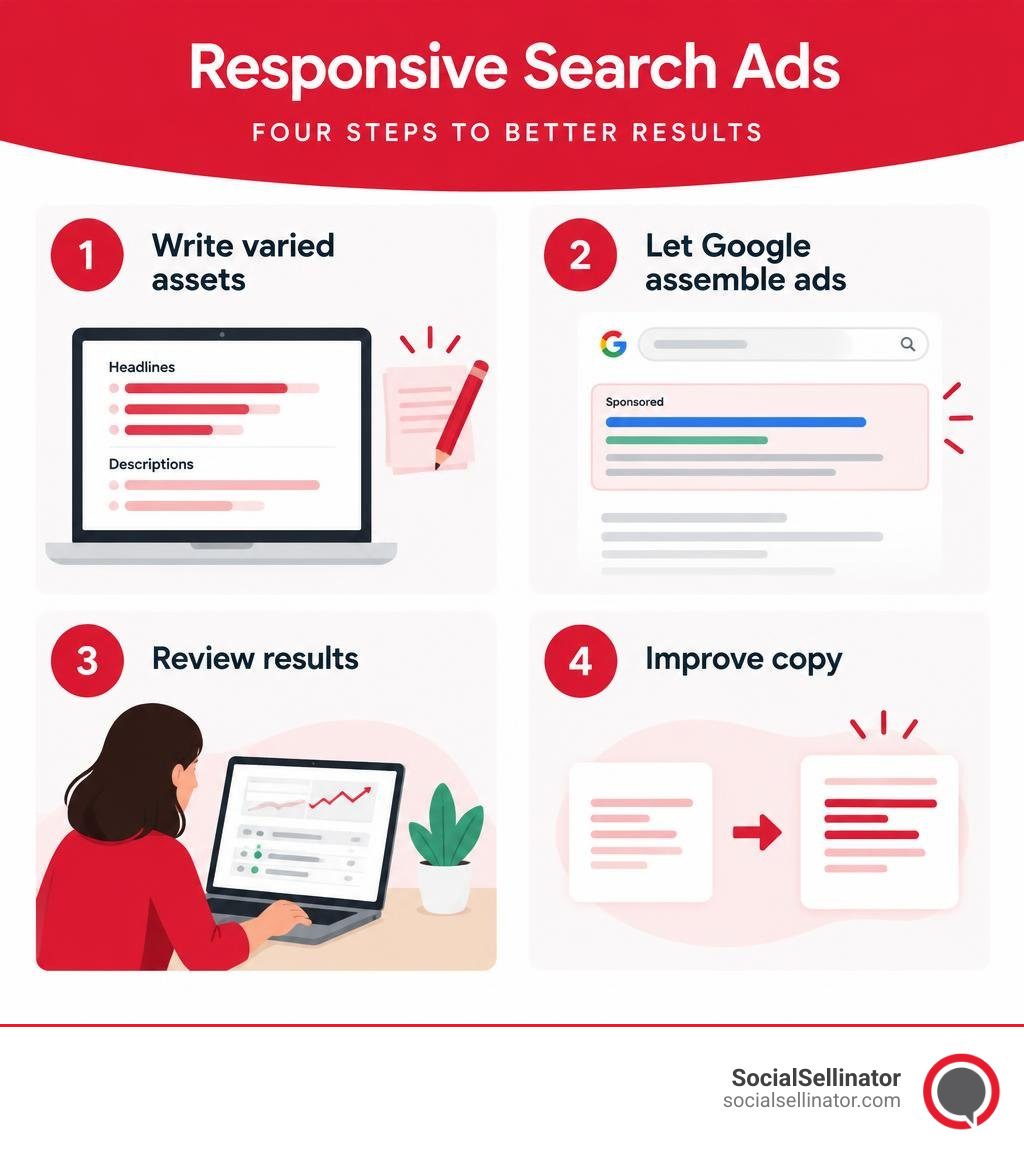
To get started with responsive search Google Ads, write at least three distinct headlines and two descriptions for one ad. Google mixes and tests them to find messages that fit each search query in real time. Make every line clear on its own, avoid repeating the same claim across multiple fields, and continually monitor conversions, cost per acquisition, and click-through rates to ensure your campaigns deliver measurable business growth.

The fundamental appeal of responsive search ads lies in dynamic message testing: advertisers can test dozens of value propositions, benefit statements, and calls to action without manually designing, launching, and managing separate static ad variations for every scenario. However, Google’s machine-learning algorithm relies entirely on the creative variety and quality of the copy you supply. Working alongside a certified google ads partner helps businesses build structured testing frameworks that prevent ad fatigue and maximize paid search efficiency.
Modern digital marketing and paid search require an integrated strategy where search ads complement broader campaigns across different channels. Whether you are balancing paid search with discovery google ads campaigns or leveraging automated URL crawling through dynamic search google ads, mastering the mechanics of responsive search copy is essential for driving predictable customer acquisition.
Understanding Responsive Search Google Ads and How They Work
Search advertising has shifted dramatically away from rigid, single-message ad units toward flexible, machine-learning-driven delivery. Responsive search ads (RSAs) serve as the primary standard ad format across Google’s search network. Instead of forcing marketers and PPC specialists to write dozens of individual static text ads to test variations, this framework accepts a bank of modular creative assets—headlines and descriptions—and dynamically serves tailored combinations to prospective customers.
When a user types a query into Google, the ad auction evaluates hundreds of real-time signals, including query context, search intent depth, user device hardware, physical location, operating system, and historical browsing trends. Using these predictive signals, the algorithmic auction selects the most relevant headlines and descriptions from your available pool, arranging them into a customized configuration designed to maximize engagement, click-through rates, and conversions. This dynamic adaptation ensures that your ad copy directly reflects what searchers are looking for at the exact moment they enter an auction.
| Feature | Responsive Search Ads (RSAs) | Traditional Expanded Text Ads (ETAs) |
|---|---|---|
| Headline Capacity | Up to 15 headlines provided per ad | Exactly 3 fixed headlines |
| Description Capacity | Up to 4 descriptions provided per ad | Exactly 2 fixed descriptions |
| Ad Assembly | Dynamic, algorithmic assembly in real time | Static layout determined manually |
| Testing Capability | Automated multivariate combination testing | Manual A/B testing across multiple ads |
| Auction Adaptability | Tailors copy dynamically to search query intent | Serves identical copy regardless of variations |
| Display Configuration | Up to 3 headlines and 2 descriptions rendered | Up to 3 headlines and 2 descriptions rendered |
By removing the manual friction of continuous split-testing, this automated assembly allows campaigns to compete in a wider range of relevant auctions without sacrificing specific relevance. Businesses can focus on high-level messaging strategy, conversion rate optimization, and integrated marketing rather than spending hours managing repetitive variations of static text.
How Dynamic Assembly Powers Responsive Search Google Ads
The mathematical power behind responsive search ads lies in dynamic combinatorial assembly. When you input the maximum allowed 15 headlines and 4 descriptions into a single responsive search ad, Google’s machine learning engine can evaluate up to 43,680 possible permutations.
During every millisecond of an ad auction, the system evaluates:
- Query semantics and intent depth across transactional, informational, and navigational searches
- User device type, viewport dimensions, screen resolution, and connection speed
- Geographical and contextual location signals down to the metro or zip-code level
- Historic performance patterns across matching asset combinations for similar audience cohorts
- Time of day, day of week, seasonal buying trends, and local consumer behavior
Rather than relying on static messaging, the platform learns which specific value proposition resonates with a user searching from a mobile device during evening hours versus a desktop user researching during business hours. Over time, the algorithm filters out lower-performing combinations and prioritizes high-converting arrangements. This granular machine learning optimization delivers customized messaging at scale, matching nuanced customer intent with precision.
Responsive Search Ads vs. Traditional Expanded Text Ads
Following the phase-out of traditional expanded text ads, paid search strategies evolved from static copywriting to component-driven asset generation. In the past, testing value propositions required building five to ten discrete ads per ad group, dividing impression volume, and manually evaluating statistical significance over months.
Mastering how to write search campaign ads now requires crafting distinct lines of copy that function seamlessly together in any arrangement, rather than writing a single static block of text. This structural flexibility allows brands to cover broader keyword intent while lowering administrative workload. Instead of guessing which single headline will perform best across thousands of searches, advertisers can supply a diverse asset library that empowers Google to assemble the ideal message for every individual search query.
Asset Specifications, Character Limits, and Enhanced Flexibility
To ensure your ad creative renders crisply across mobile screens, tablets, and high-resolution desktop monitors, Google enforces strict structural character limits across all asset fields. Understanding these technical parameters allows you to plan your copy effectively and avoid truncated or rejected creative assets.
Technical Character Limits and Asset Requirements
When setting up your creative assets within your campaigns, you must adhere to clear technical constraints:
- Headlines: Minimum of 3 headlines; maximum of 15 headlines allowed. Each headline has a strict limit of up to 30 characters (including spaces and punctuation).
- Descriptions: Minimum of 2 descriptions; maximum of 4 descriptions allowed. Each description has a strict limit of up to 90 characters (including spaces and punctuation).
- Display Paths: Two optional path fields appended to your display URL, supporting up to 15 characters each, used to communicate landing page relevance.
- Final URL: The dedicated landing page where users are directed after clicking your ad.
Maximizing your character allowance without padding copy with unnecessary filler words is crucial. Short headlines provide versatility on smaller mobile viewports, while longer headlines take up valuable visual real estate in desktop search results. To build structured assets quickly, leveraging curated Google Ads copy templates helps maintain character compliance while producing varied messaging.
Enhanced Flexibility and Dynamic Sitelink Conversion
Responsive search ads feature enhanced flexibility that optimizes how unused creative assets appear on the search engine results page. When Google predicts that an ad can generate higher engagement by showing additional information, it may repurpose headlines that were not selected for the primary headline positions.
Specifically, up to two unused headlines within the same ad can serve as link-based assets below the primary ad copy, pointing directly to the exact destination specified in your ad’s final URL. Furthermore, unused headline and description assets from other active ads within the same ad group can also be drawn upon to populate link-based assets. This expanded delivery mechanism transforms unused copy into interactive entry points, increasing visual prominence on the search results page without requiring manual sitelink configuration.
This automatic asset rendering expands your ad’s total footprint on the search results page, pushing competitor ads further down the screen. By supplying the maximum number of headlines and descriptions, you provide the algorithm with the raw material needed to take full advantage of these expanded display formats.
Optimization Strategies and Ad Strength Mastery
Ad Strength is Google’s diagnostic indicator that grades the variety, relevance, and distinctiveness of your responsive search ad creative. Ranging from “Incomplete” and “Poor” to “Average,” “Good,” and “Excellent,” this metric provides real-time feedback during ad creation and ongoing campaign audits.
Data indicates that advertisers who improve the Ad Strength of their responsive search ads from “Poor” to “Excellent” achieve an average of 15% more clicks and conversions. Improving this grade involves pairing diverse value propositions with structured testing and applying established techniques on how to optimize Google Ads across entire account architectures.
Best Copywriting Practices for Responsive Search Google Ads
Writing copy for dynamic machine-learning assembly requires modular creative thinking. Since you cannot predict which headline will sit beside another, every single asset must stand firmly on its own merits while complementing any other asset it might be paired with.
Follow these proven ad copywriting strategies when crafting your asset repository:
- Integrate Core Keywords Naturally: Ensure at least 2 to 3 headlines incorporate your target search terms to maintain direct query relevance without keyword stuffing.
- Highlight Unique Value Propositions: Avoid repetitive copy. If Headline 1 mentions “Fast Implementation,” Headline 2 should highlight “Award-Winning Support,” and Headline 3 should detail “Transparent Pricing.”
- Incorporate Clear Calls to Action: Write specific action-oriented headlines, such as “Request Your Free Quote Today,” “Book A Consultation,” or “Explore Our Custom Solutions.”
- Vary Headline Lengths: Provide short, punchy 12-character headlines alongside comprehensive 28-character headlines to give the layout engine maximum flexibility across varying device widths.
- Emphasize Emotional and Rational Triggers: Combine data-driven trust signals (like “Over 1,000+ Satisfied Clients”) with urgency or benefit-driven statements (such as “Get Results in 30 Days”).
- Address Buyer Pain Points: Craft descriptions that directly answer common customer objections, highlighting guarantees, security, and proven return on investment.
The Strategic Impact of Pinning Assets
Google Ads provides a pinning tool that allows you to lock specific headlines or descriptions into designated positions:
- Headline Position 1 (H1): The lead position shown in every rendering.
- Headline Position 2 (H2): The secondary position shown in every standard layout.
- Headline Position 3 (H3): The tertiary position that may display depending on screen width and auction space.
- Description Position 1 (D1): The primary body copy line guaranteed to display.
- Description Position 2 (D2): The secondary description line that displays when screen real estate permits.
While pinning ensures required brand messaging or mandatory legal disclaimers always appear in exact positions, it directly restricts the machine learning algorithm from exploring other combinations, which can reduce your overall Ad Strength rating.
Rules for Strategic Asset Pinning:
- Pin only when mandatory, such as strict legal compliance statements or brand-mandated disclaimers.
- If pinning to a position is necessary, pin 2 to 3 asset variations to that exact same slot. This maintains position control while allowing the algorithm room to test messaging variants.
- Avoid pinning assets to Position 3 or Description Position 2 if you expect them to show constantly, as these slots do not render in every auction layout.
- Continually audit pinned assets to verify that performance remains competitive against unpinned ad variations across the same ad group.
Campaign Management, Reporting, and API Integration
Maintaining high-performing responsive search campaigns requires regular performance auditing and continuous asset refinement through the Google Ads dashboard and reporting suites. Our team at SocialSellinator continually tests and optimizes search campaigns to ensure all active ad variations capture maximum market share and drive scalable lead generation.
To scale these efforts across multiple ad groups, explore our comprehensive library of Google Ads marketing resources for strategic campaign frameworks and optimization best practices.
Performance Reporting and Asset Combinations
To evaluate which specific assets resonate best with your audience:
- Navigate to the Ads tab within your Google Ads account dashboard.
- Select View Asset Details under the specific responsive search ad you wish to evaluate.
- Review the asset-level performance ratings: Learning, Low, Good, or Best.
- Access the Combinations tab to view the exact headline and description groupings that receive the highest volume of impressions.
When reviewing asset performance ratings, replace any assets marked as “Low” with fresh creative copy that explores a different value proposition. Give the algorithm at least two to four weeks of impression history before swapping out assets, ensuring the system has sufficient data to make meaningful evaluations.
Account data shows that accounts running a single RSA that add an additional RSA to their ad group (for a total of 2 RSAs) see an average 6.6% increase in conversions at a comparable cost per conversion. Adding a third RSA yields an additional 3.7% conversion lift, expanding overall auction participation across the ad group.
Programmatic RSA Retrieval via Google Ads API
For enterprise accounts and software engineering teams managing large-scale paid search campaigns, responsive search ads can be audited, extracted, and managed programmatically using the Google Ads API.
Using the GoogleAdsService.SearchStream method, developers can execute Google Ads Query Language (GAQL) statements to pull ad creative, ad strength metrics, and active diagnostic action items across hundreds of ad groups simultaneously.
Filtering queries by RESPONSIVE_SEARCH_AD ensures accurate extraction of modular components, empowering engineering teams to automate ad strength tracking and highlight low-performing creative assets directly within internal reporting dashboards. This programmatic oversight ensures large accounts maintain high creative standards across thousands of active ad groups without manual oversight bottlenecks.
Frequently Asked Questions About Responsive Search Ads
How many responsive search ads should be run per ad group?
Advertisers should run 2 to 3 responsive search ads per ad group, with each ad maintaining a Good or Excellent Ad Strength rating. Introducing a second distinct RSA introduces new creative angles and delivers an average 6.6% increase in conversions, while a third RSA adds an average 3.7% lift, maximizing ad coverage across varied keyword searches.
What is the difference between Ad Strength and Quality Score?
Ad Strength evaluates the creative variety, distinctiveness, and completeness of your supplied headlines and descriptions during ad creation. Quality Score is an auction-level metric based on historical keyword performance, evaluating expected click-through rate (CTR), ad relevance, and landing page experience against competitors in live auctions.
Does pinning headlines negatively impact ad performance?
Pinning a single headline or description to a specific slot prevents other assets from serving in that position, limiting machine learning combinations and frequently lowering Ad Strength. However, you can minimize performance penalties by pinning 2 to 3 distinct headline variants to the same position, giving Google room to optimize while maintaining structural control.
How long does it take for responsive search ads to optimize?
Responsive search ads typically enter a learning phase that lasts between two and four weeks, depending on your ad group’s overall impression and click volume. During this period, the machine learning algorithm tests various headline and description pairings to determine which combinations yield the highest click-through and conversion rates. It is best to avoid making major edits to your creative assets while this initial data gathering takes place.
Can you use dynamic keyword insertion in responsive search ads?
Yes, dynamic keyword insertion (DKI) works seamlessly within responsive search ad headlines and descriptions. By formatting text as {KeyWord:Default Text}, Google dynamically replaces the placeholder with the user’s specific search term whenever character limits permit. This tactic boosts immediate ad relevance while falling back to clear default copy when queries exceed character thresholds.
Conclusion
Responsive search Google Ads deliver unmatched auction flexibility, pairing human creative strategy with machine-learning testing. By crafting diverse, high-value headlines, adhering to character limits, avoiding unnecessary pinning constraints, and monitoring asset combination reports, businesses can unlock higher click-through rates and drive consistent conversion growth.
If managing asset banks, ad strength scores, and bid strategies feels overwhelming, partnering with experienced paid media professionals can accelerate your business growth. Professional paid search management can transform your campaigns into reliable, scalable revenue engines.
Headquartered in San Jose, in the heart of Silicon Valley and the San Francisco Bay Area, SocialSellinator proudly provides top-tier digital marketing, SEO, PPC, social media management, and content creation services to B2B and B2C SMB companies. While serving businesses across the U.S., SocialSellinator specializes in supporting clients in key cities, including Austin, Boston, Charlotte, Chicago, Dallas, Denver, Kansas City, Los Angeles, New York, Portland, San Diego, San Francisco, and Washington, D.C.